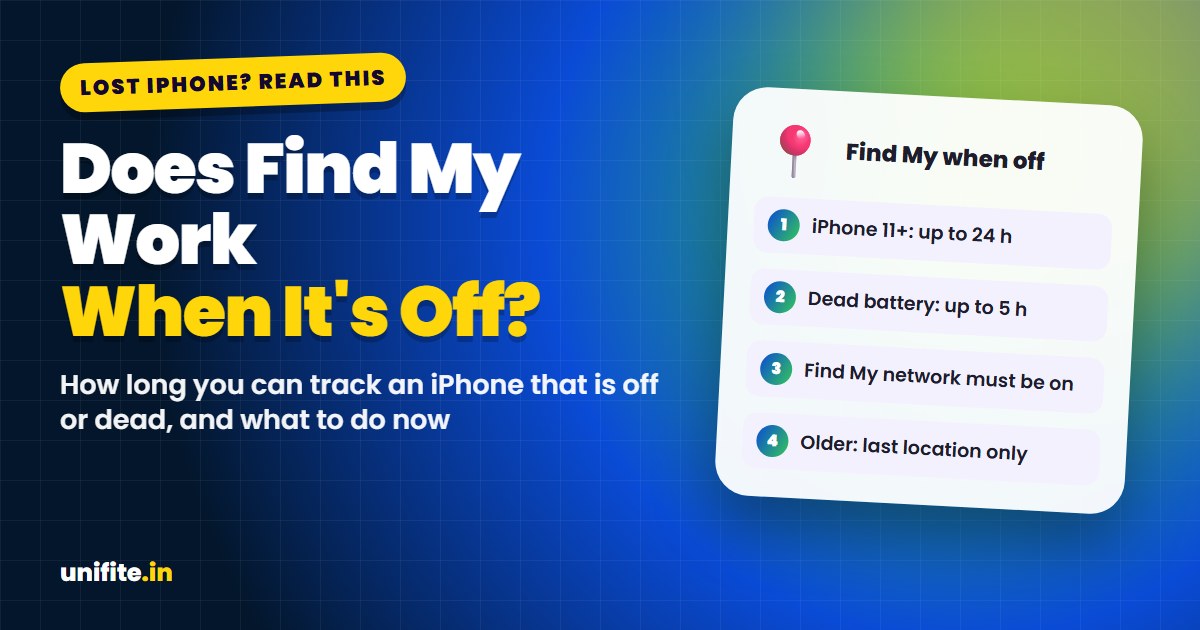
Yes, Find My iPhone can work when the phone is off, but only on iPhone 11 and later (not iPhone SE), and only if the Find My network was turned on before you lost it. A switched-off iPhone can be located for up to 24 hours. If the battery died, Power Reserve keeps it findable for up to 5 hours. Older iPhones only show their last known location.
Pick your iPhone model and what happened in the tool below to see exactly what Find My can still do for you, and what to do next.
How Find My Works When Your iPhone Is Off
When a supported iPhone is turned off, it doesn’t fully stop. It keeps a tiny amount of power to send a secure Bluetooth signal, a bit like an AirTag. Other Apple devices nearby that are part of the Find My network pick up that signal and send the location to Apple, encrypted. Then you see it on the map in the Find My app or at icloud.com/find.
Nobody else can see the location, and the person whose iPhone passed it along has no idea it happened.
This only works if:
- Your iPhone is an iPhone 11 or later (iPhone SE models are not supported).
- Find My iPhone and Find My network were turned on before it was lost.
- Another Apple device comes close enough to pick up the signal.
How Long Can You Find a Phone That Is Off or Dead?
- Turned off by someone: up to about 24 hours after it was switched off.
- Battery died: up to about 5 hours in Power Reserve mode.
- After that: you see the last location it sent. With Send Last Location turned on, your iPhone sends its location to Apple just before the battery dies.
The Find My app may show the phone as offline with a time stamp. That is the last time it reported, not necessarily where it is now.
Check These Settings Now (Before You Ever Lose It)
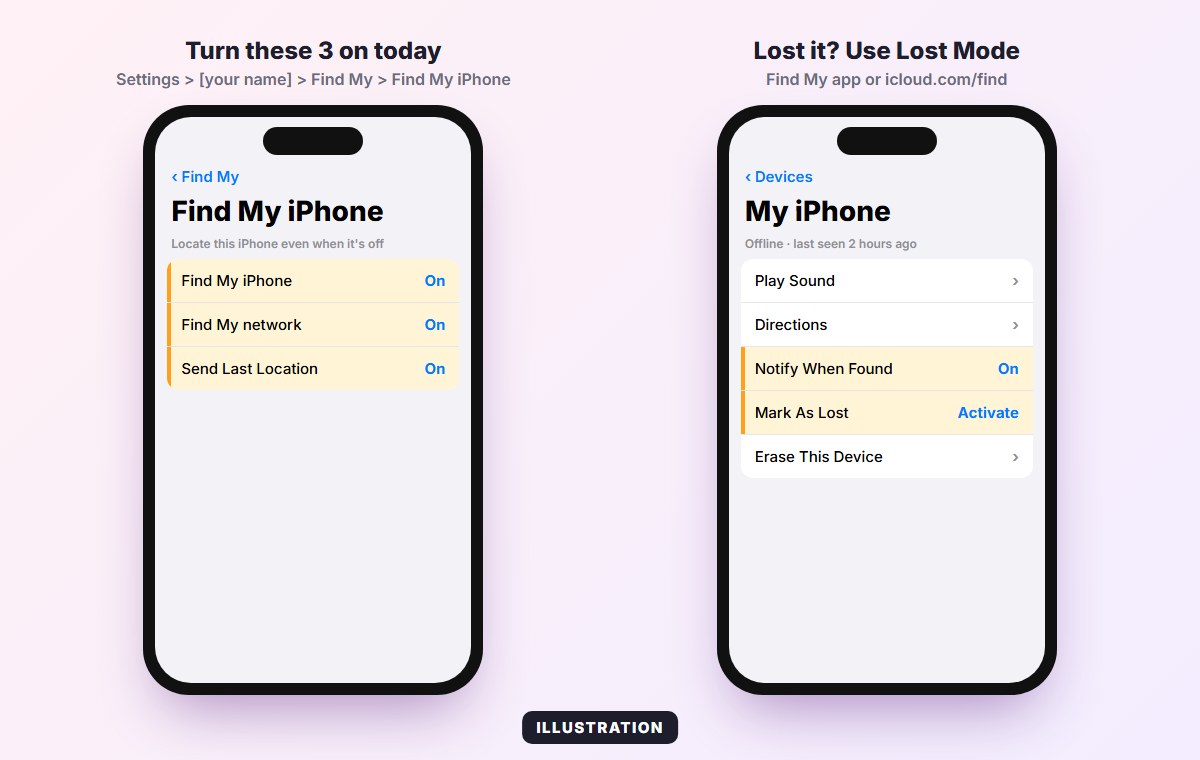
These settings must be on in advance. Take 30 seconds to check them:
- Open Settings and tap your name at the top.
- Tap Find My > Find My iPhone.
- Turn on Find My iPhone, Find My network and Send Last Location.
When your iPhone is off, you may see “iPhone Findable After Power Off” on the power-off screen. That means it’s working.
Your iPhone Is Lost Right Now: What to Do
- Open Find My on another Apple device, or go to icloud.com/find on any browser and sign in with your Apple Account.
- Look at the map. If it’s online, tap Play Sound when you’re nearby.
- Mark it as lost (Lost Mode). This locks it, shows a message with your phone number on the screen, and pauses Apple Pay. If the phone is off, Lost Mode turns on the next time it connects.
- Turn on “Notify When Found” so you get an alert when it reports a new location.
- If it was stolen, don’t try to get it back yourself. Give the location to the police. Contact your carrier to block the SIM.
- Erase it only as a last step. On iOS 15 and later, Find My keeps working after a remote erase while Activation Lock stays on, but erasing too early can make tracking harder.
Find My iPhone Says “No Location Found”? Here’s Why
- Find My or Find My network was off when you lost it.
- It’s an iPhone 10 or older, or an iPhone SE, which can’t be found while off.
- More than 24 hours passed since it was switched off, or more than 5 hours since the battery died.
- No Apple devices have been near it.
- Someone removed the SIM and turned it off in a place with no Apple devices nearby.
Even then, keep Lost Mode on. If the phone is turned on later, you’ll get its location.
Protect Your iPhone Before It Gets Lost
- Turn on Stolen Device Protection in Settings > Face ID & Passcode. It makes it much harder for a thief to change your Apple Account.
- Use a strong passcode. Our guide to Touch ID vs Face ID covers the security settings worth turning on.
- Write down your Apple Account email so you can sign in to icloud.com/find from another device.
Related guides: What’s new in iOS 27.2 and Smartphone privacy features to turn on.
FAQ
Can I track my iPhone if it’s dead?
Yes, for up to about 5 hours on iPhone 11 and later thanks to Power Reserve, as long as Find My network was on. After that, you see the last location it sent.
How long does Find My work after the phone is turned off?
Up to about 24 hours on supported iPhones, as long as an Apple device comes near it.
Why doesn’t my iPhone say “Findable after power off”?
Your model may not support it (iPhone 10 and older, or iPhone SE), or Find My network is turned off in Find My settings.
Can a thief turn off Find My?
They need your passcode or Apple Account password. Stolen Device Protection adds a Face ID or Touch ID check and a delay for this change when your iPhone is away from familiar places.
Does Find My work in airplane mode?
On supported models, the Find My network can still pick up the Bluetooth signal in many cases, but the location may update less often.
The Bottom Line
Find My can locate an iPhone 11 or newer even when it’s off or dead, but only for a limited time and only if Find My network was turned on beforehand. Check your settings today, and if your phone is missing, open Find My and turn on Lost Mode right away.
How we checked this: features and limits were checked against Apple Support documents in November 2026. Sources: Apple: Use Find My to locate your lost Apple device, iCloud Find Devices.