
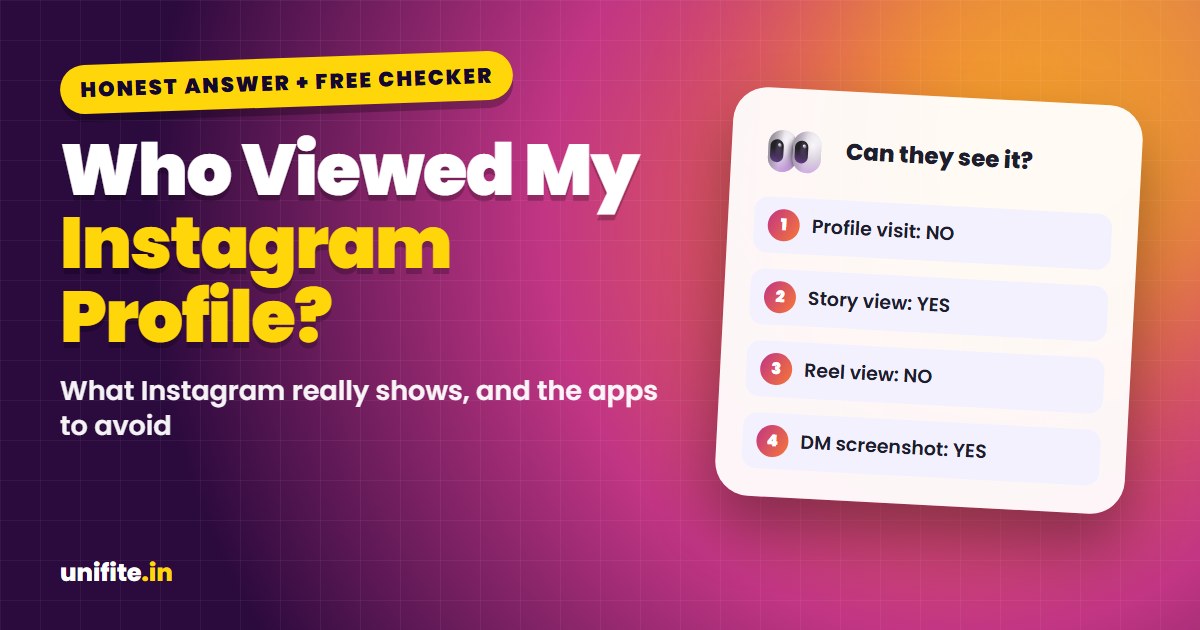
No, you can’t see who viewed your Instagram profile. Instagram does not show a list of people who visit your profile, and it does not tell anyone when you look at theirs. What you can see is who watched your Stories and Lives, who liked or commented, and, with a professional account, an anonymous count of profile visits.
That is the honest answer, and it matters, because many apps and websites promise a “profile viewer” list. They can’t deliver it. Use the free checker below to see exactly what other people can and can’t see when you take an action on Instagram.
Can You See Who Views Your Instagram Profile?
Instagram has never offered a profile-visitor list, and it still doesn’t in 2026. Your profile can be visited by followers, by people who find you in search or on Explore, and by people who tap your name under a Reel. None of them show up anywhere with their name.
This is on purpose. Instagram treats browsing as private. If it showed profile visits, people would stop looking around, and the app would feel very different.
So when someone says “I saw you checked my profile,” they are guessing. Most of the time they saw you somewhere else: in their Story viewers, in their likes, or as a “suggested for you” account.
What Instagram Actually Shows (and What It Hides)
Here is the full picture of what is visible and what stays private:
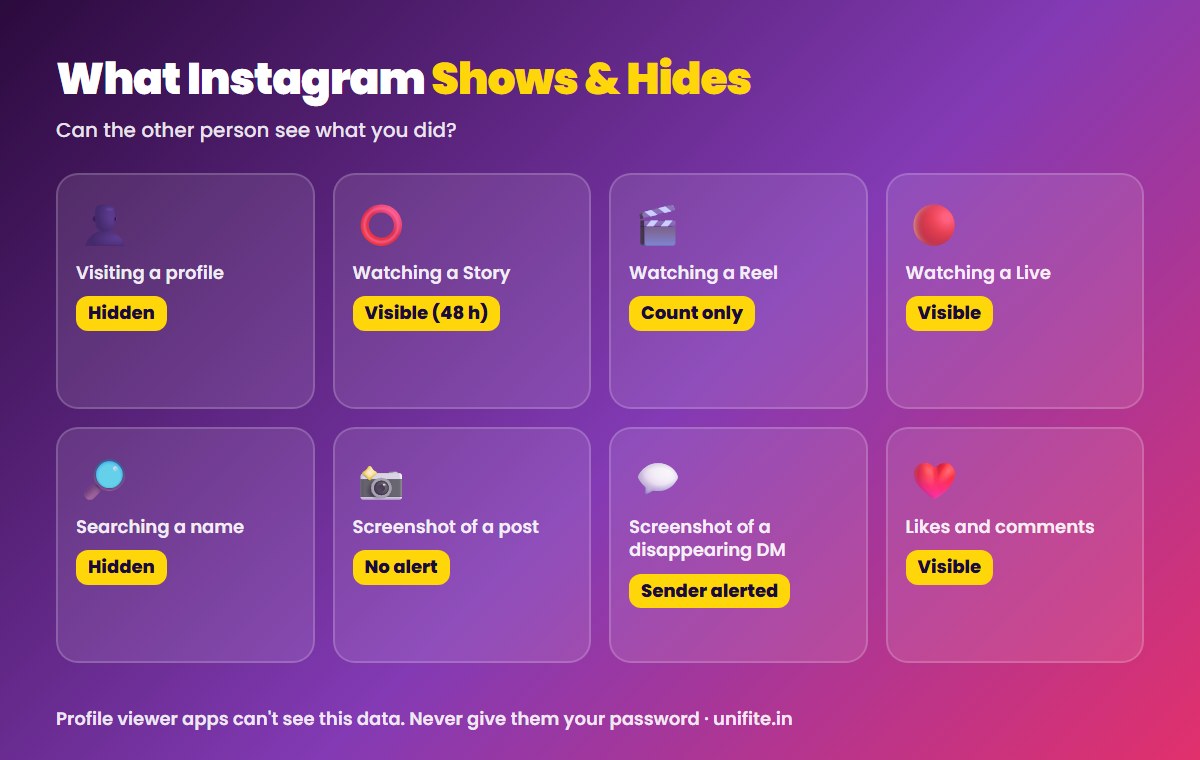
- Profile visits: hidden. No names. Professional accounts see only a total number in Insights.
- Story views: visible. Your name appears in the viewer list. The owner can see it for up to 48 hours after the Story was posted.
- Live videos: visible. Viewers appear while the Live is running.
- Reels and posts: view counts only. Nobody sees a list of who watched.
- Likes and comments: visible to the owner and, in most cases, to others.
- Searches: hidden. Nobody is told that you searched their name.
- Screenshots of posts, Reels and Stories: no notification.
- Screenshots of disappearing photos or videos in DMs: the sender is notified.
- Messages: “Seen” shows up unless you turned off read receipts.
Why “Who Viewed My Profile” Apps Are a Scam
Any app, website or browser extension that promises to show your profile visitors is not telling the truth. Instagram does not share this data with anyone, so outside apps have nothing real to show. They usually do one of three things:
- Show fake names. Most just list people you interact with a lot, like followers who like your posts, and call them “visitors”.
- Steal your login. They ask you to sign in with your Instagram password. Then they can take over the account, post spam or sell it.
- Charge you. They lock the “results” behind a subscription that is hard to cancel.
Giving your password to a third-party app also breaks Instagram’s terms and can get your account restricted. If you already used one, change your password right away, turn on two-factor authentication and check Accounts Center > Password and security > Where you’re logged in for devices you don’t know. Not sure if a message or app is safe? Paste it into our free scam checker.
What You Can See Instead
You can’t get names, but you can learn a lot about who is interested in your profile:
Story viewers
Your Story viewer list is the closest thing to a “who viewed” list. Open your Story, swipe up, and you’ll see everyone who watched. People who watch every Story are the ones checking in on you most.
Profile visits in Insights
Switch to a free professional account (Creator or Business) and open Insights. Under account activity you’ll see how many profile visits you got in a time period. There are no names, but you can see which posts or Reels drove the most visits.
Likes, comments, saves and shares
These show you which posts people engage with. With a professional account, you also see saves and shares as numbers. If you want to know how your account performs overall, our Instagram engagement rate calculator turns these numbers into one clear rate.
Can Someone See That You Viewed Their Instagram?
It depends on what you viewed:
- Their profile, posts or Reels: no. They can’t see that you looked.
- Their Story or Live: yes. Your name appears in their viewer list.
- Their Highlights: only if the Story in that Highlight is less than 48 hours old. After that, viewers are not shown.
- Their messages: yes, through “Seen”, unless read receipts are off.
If you want to look at Stories without showing up, there is no official way. Sites that offer “anonymous Story viewing” sit outside Instagram’s rules, and many are loaded with ads or ask for logins. Our advice is to skip them.
How to Keep Your Own Profile More Private
If the real worry is who is looking at your content, these settings help more than any viewer app:
- Make your account private so only approved followers see your posts and Stories.
- Use Close Friends for Stories you only want a small group to see.
- Hide your Story from specific people in the Story settings.
- Restrict or block accounts you don’t want looking at your profile.
- Turn off Activity Status so people can’t see when you were last active.
Related guides: Smartphone privacy features to turn on and How to reset your Instagram password.
FAQ
Does Instagram notify when you view a profile?
No. Instagram never notifies anyone when their profile is viewed, and there is no list of profile visitors.
Can you see who viewed your Instagram profile with a business account?
You can see how many profile visits you got in Insights, but not who visited. The number is anonymous.
How long can you see who viewed your Story?
You can see your Story viewers for up to 48 hours after posting. After that, the Story moves to your archive and the viewer list is no longer shown.
Does Instagram tell people when you screenshot?
Not for posts, Reels or Stories. Instagram only notifies the sender when you screenshot a disappearing photo or video in a direct message.
Are Instagram profile viewer apps safe?
No. They can’t access real profile-visit data, and many steal logins or charge for fake results. Avoid any app that asks for your Instagram password.
The Bottom Line
You can’t see who viewed your Instagram profile, and nobody can see that you viewed theirs. Story viewers, Insights numbers and engagement are the real signals. Skip any app that promises names, keep your account secure, and use privacy settings if you want more control.
How we checked this: features were checked against Instagram’s Help Center and the current Instagram app in November 2026. Instagram can change features at any time. Source: Instagram Help Center.